Intake and referrals
Every fax sorted before anyone opens it.
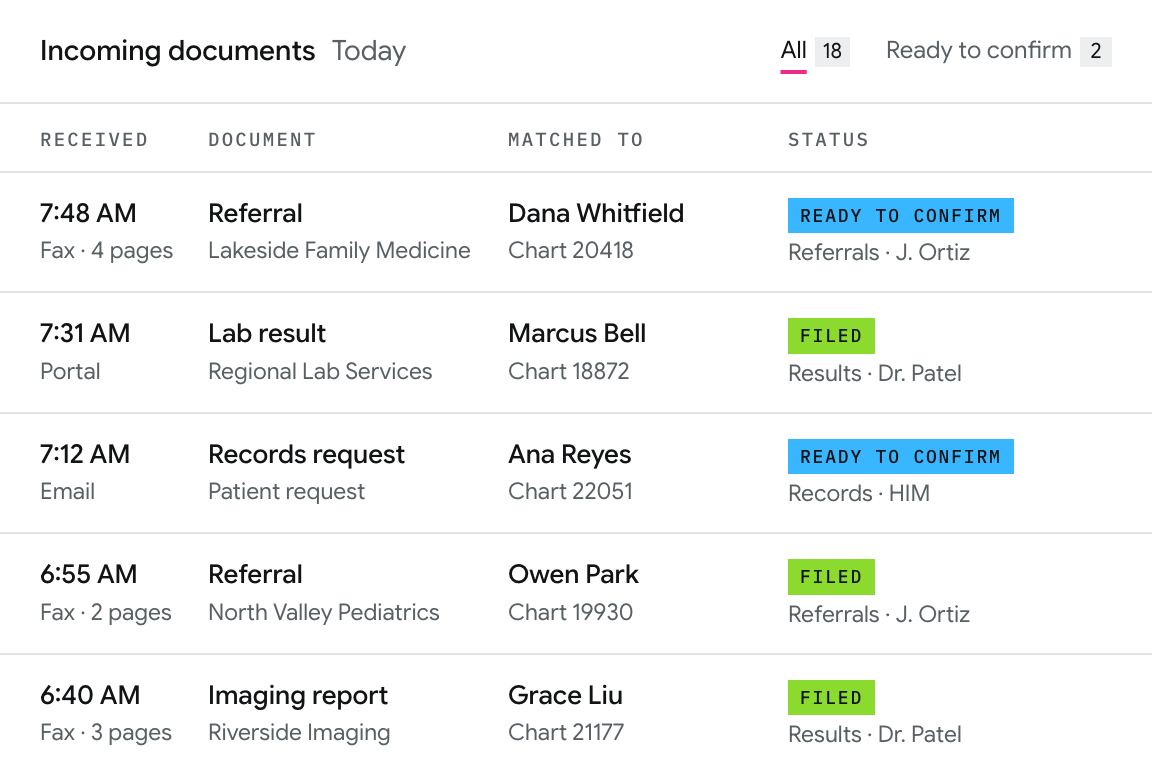
Referrals, records requests, and results arrive all day by fax, portal, and email. Calvient reads each one, identifies it, matches it to the right chart, and files it in the right queue.
01 Process
What actually happens to an incoming referral
-
01
It arrives
Four pages, no cover sheet. Patient’s name scribbled in the margin.
-
02
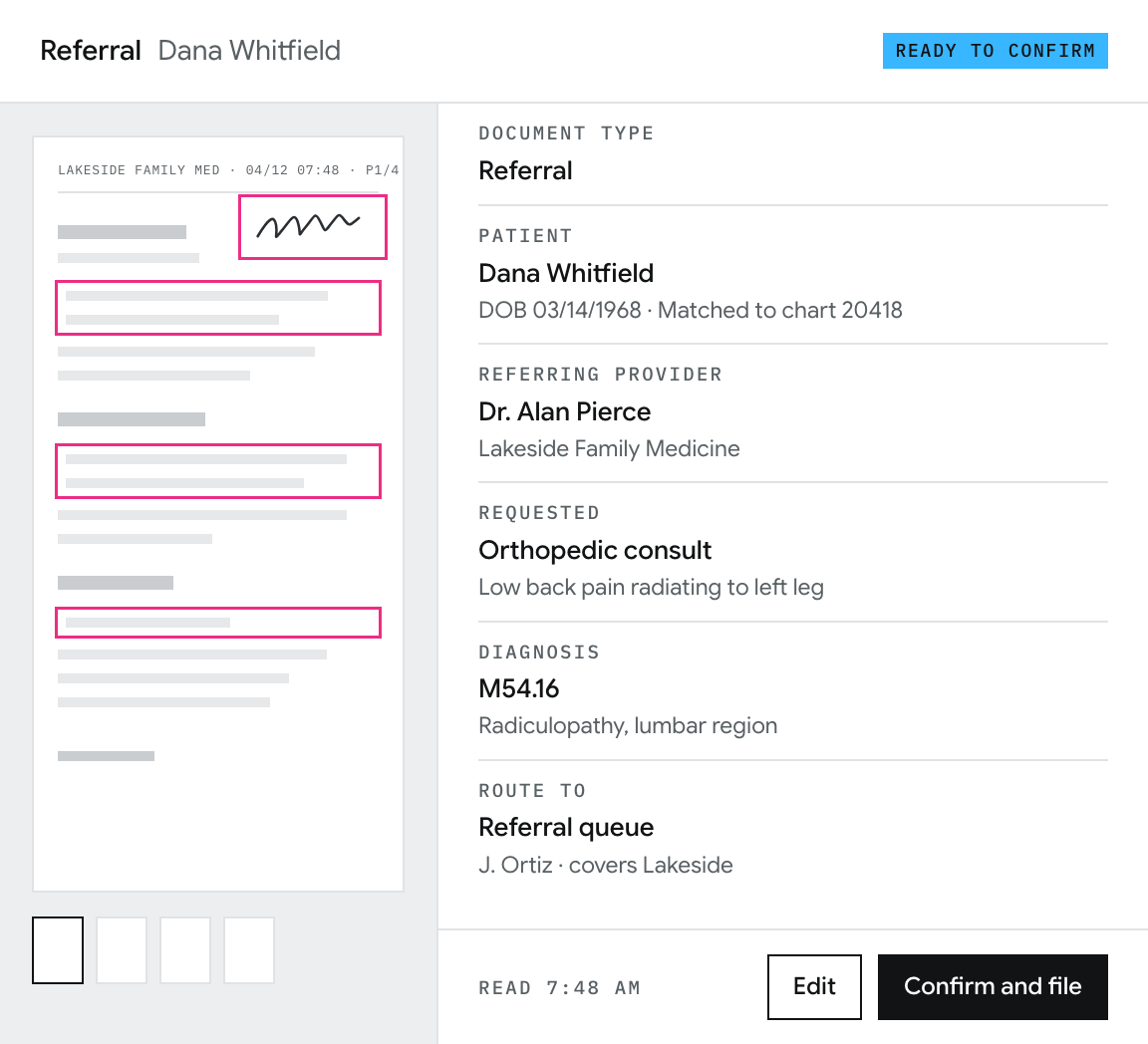
Calvient reads it
Document type, patient info, referring provider, requested procedure, and diagnosis codes are all identified.
-
03
It routes
Straight into the referral queue assigned to whoever covers that referring office.
-
04
Your coordinator opens a complete record
Nothing to type in. Nothing to look up. They start at the part that actually needs a human.
[Figure]
[Time saved or ROI for this workflow]
Source: [Customer, period]
02 Your team and Calvient
What your team still does vs what we can handle
Your team
[What your team still does]
Calvient
[What Calvient handles]
Nothing is filed to a chart that a person hasn’t confirmed. You can see what Calvient did and why, on every document, going back as far as you need.
03 From a client
[Quote from a client who owns this workflow]
Book a demo
Bring one broken workflow.
[What happens in the working session]
30-minute working session
- 1 Time
- 2 Your details
- 3 Done
- Invite sent to
- You’ll bring
Add to Google Calendar Add to Outlook Reschedule or cancel
[Not connected to a calendar yet]
These are sample times. Nothing was booked and no invite was sent.