Patient communications
Nobody has to work through the callback list.
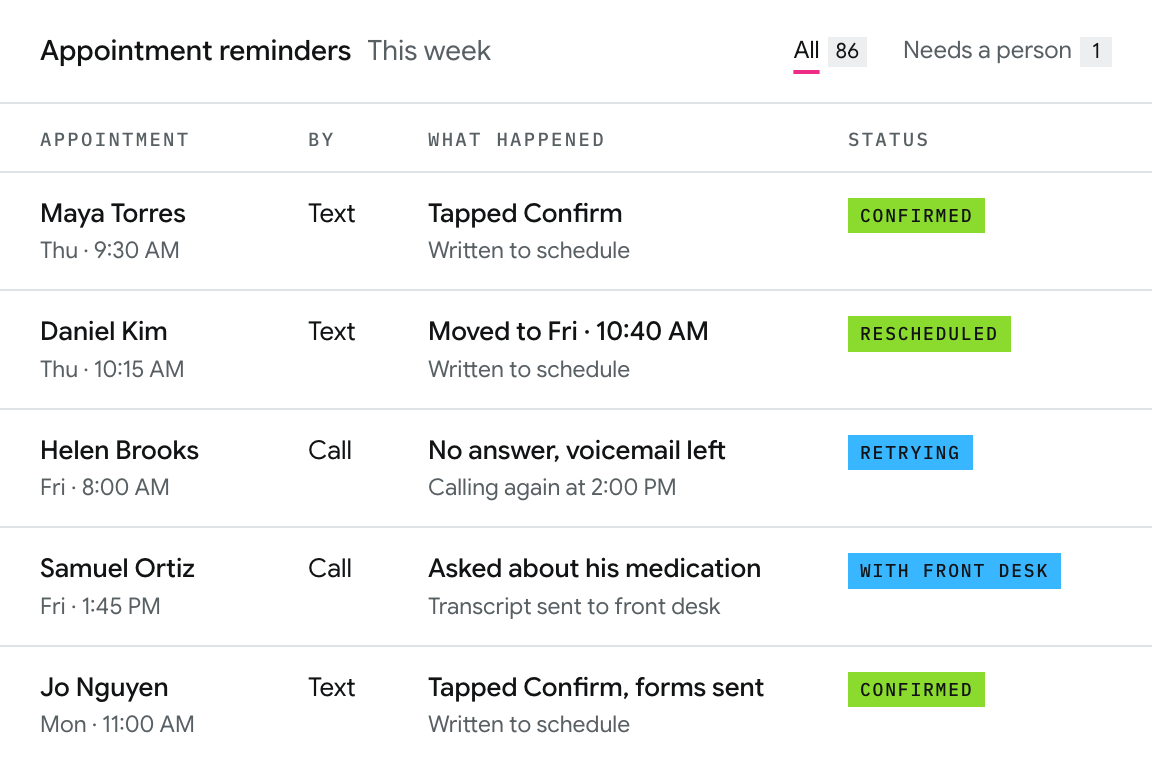
Calvient sends the reminders, takes the confirmations and reschedules, returns the routine calls, and writes all of it back to the schedule. Anything that needs a person gets one.
01 Process
A patient’s appointment is coming up
-
01
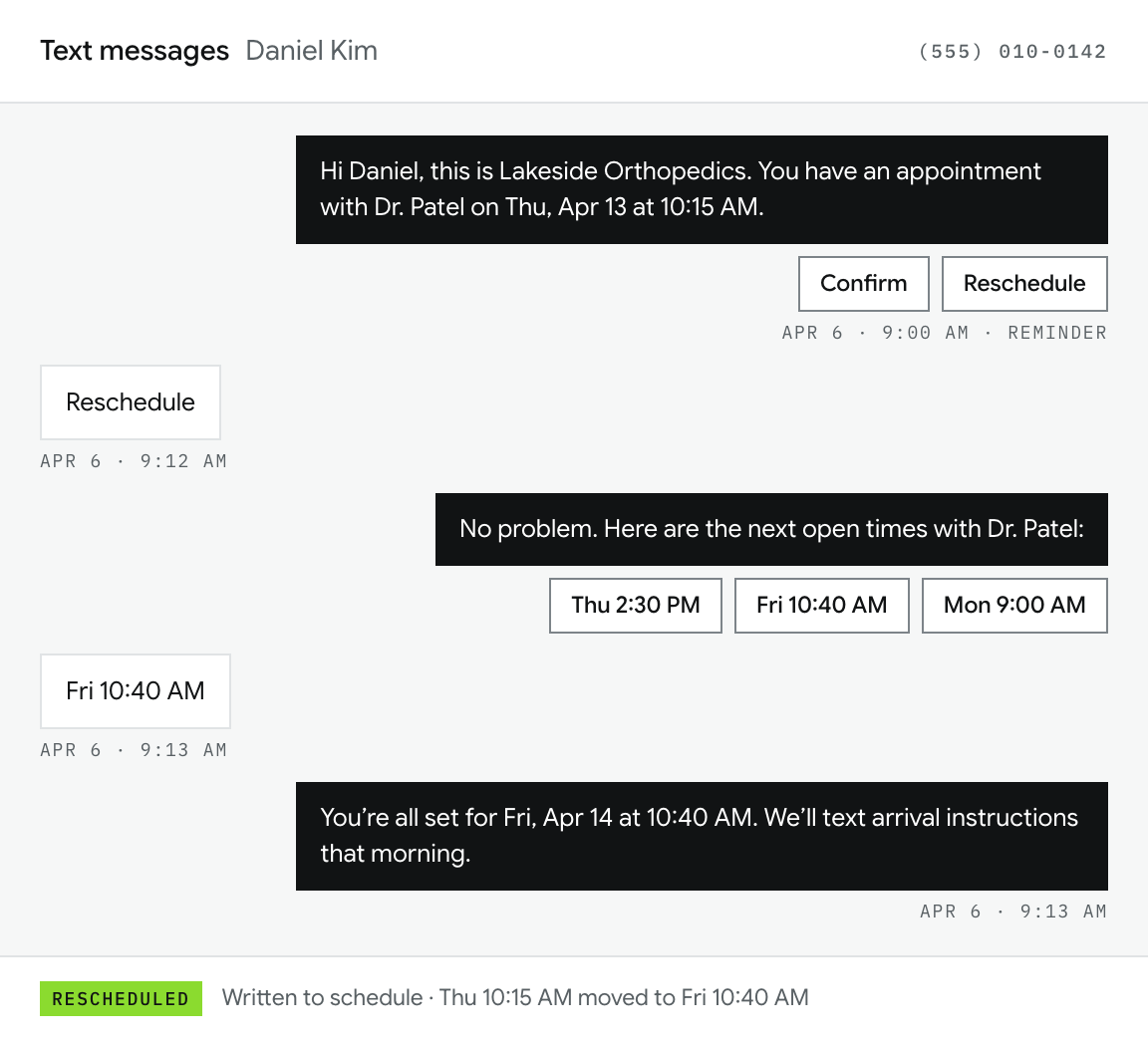
Seven days out, a text is sent
Appointment details and two buttons: confirm or reschedule.
-
02
They choose to reschedule
Calvient offers the appropriate open slots. The patient picks one and the schedule is updated without anyone touching it.
-
03
Three days out, the patient has not confirmed
Calvient performs an AI call and opens by saying it’s an automated call where the patient can ask for a real person at any time.
-
04
The morning of
A text is sent with arrival instructions as well as forms they haven’t finished.
[Figure]
[Time saved or ROI for this workflow]
Source: [Customer, period]
02 Your team and Calvient
What your team still does vs what we can handle
Your team
- Every clinical question
- Conversations that need judgment
- Decides what gets escalated and when
Calvient
- Reminders, confirmations, and rescheduling
- The ones that need a calendar
- Escalates and hands over the transcript
[Closing assurance]
03 From a client
[Quote from a client who owns this workflow]
Book a demo
Bring one broken workflow.
[What happens in the working session]
30-minute working session
- 1 Time
- 2 Your details
- 3 Done
- Invite sent to
- You’ll bring
Add to Google Calendar Add to Outlook Reschedule or cancel
[Not connected to a calendar yet]
These are sample times. Nothing was booked and no invite was sent.